About Vitaelity
The UK’s Original Online Safeguarding Platform
Quick and Easy Management Through Dashboards
Professionals are busy people having to monitor lots of students and deal with different institutions, therefore Vitaelity provides you with dashboards to cut through the noise. The system flags up when something or someone needs your attention, so you don't have to waste time clicking through long lists of students and providers. If several students from a mix of schools or providers fail to show up in a register, then in one-click you get a single list of all their names.
Need to find where a student is supposed to be right now, then no need to go through menus and registers trying to find them. Simply begin typing their name into the search box the machine will start suggesting names, enabling you to jump straight into their current provision (or historical attendance).
And as providers update their registers then the dashboards change and update throughout the day, so you aren't building an endless list of alerts that need closing manually. Ever professional who needs to monitor a student can see in one view what is happening as it happens.
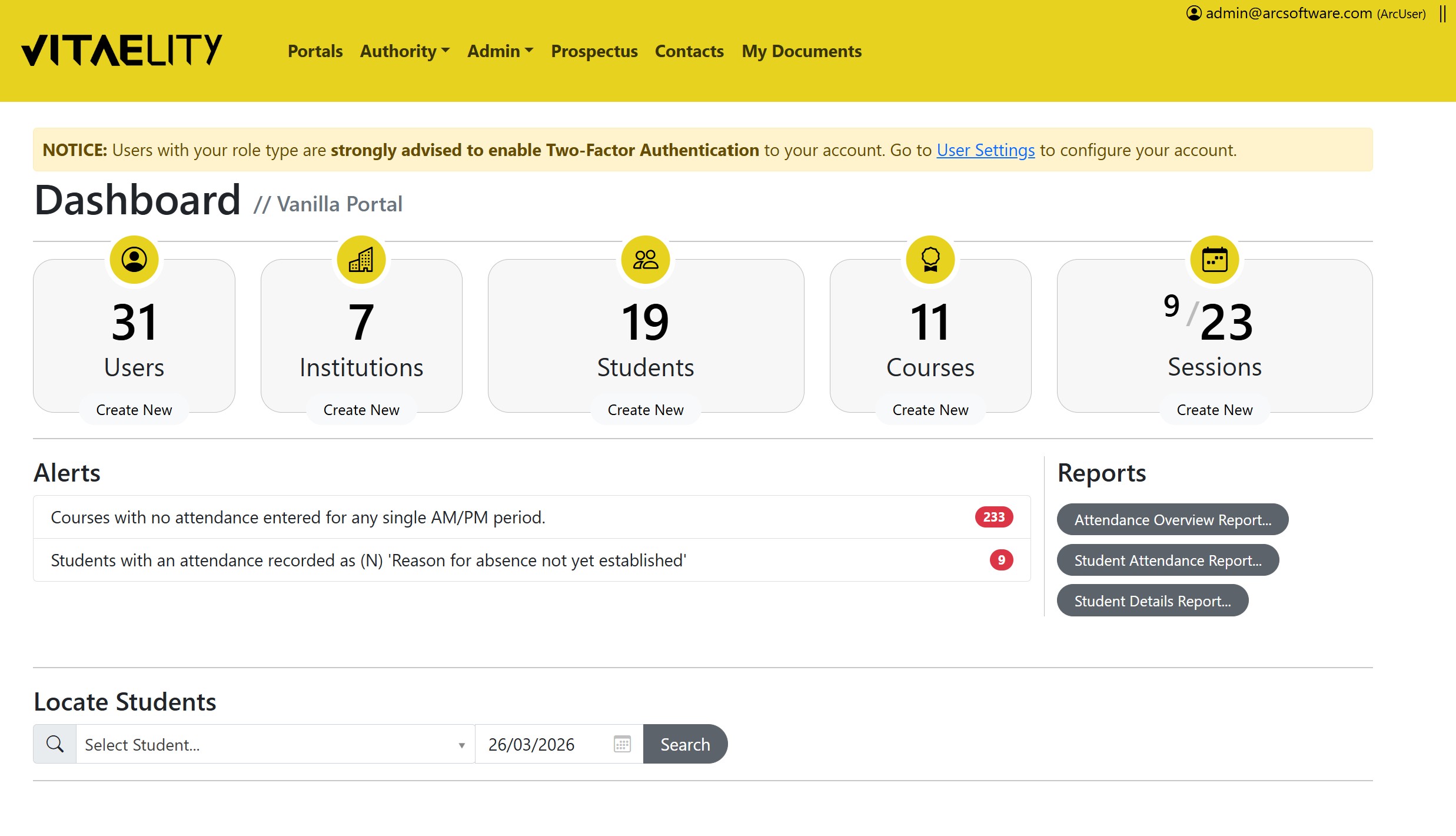
Vitaelity's Authority Dashboard
Student-Centred Data
Traditionally student data for those in alternative provision has been tricky to visualise or oversee as those young people can be in a series of short provision, perhaps only a single day before they go to a different provider or short course away from their home school before they return, and then go off on another course elsewhere. Time and frustration at having to jump around a system to know where a student is supposed to be right now or to source and collate their data for a report has been eliminated in Vitaelity.
Vitaelity has a single student-centred data view, meaning that for safeguarding you only have to go to one screen to see all their provision, no matter how many places they have moved around. Want to know where they are supposed to be right now, then you can see that. Or want to know where they were last week or last year then that is displayed in the single student view too.
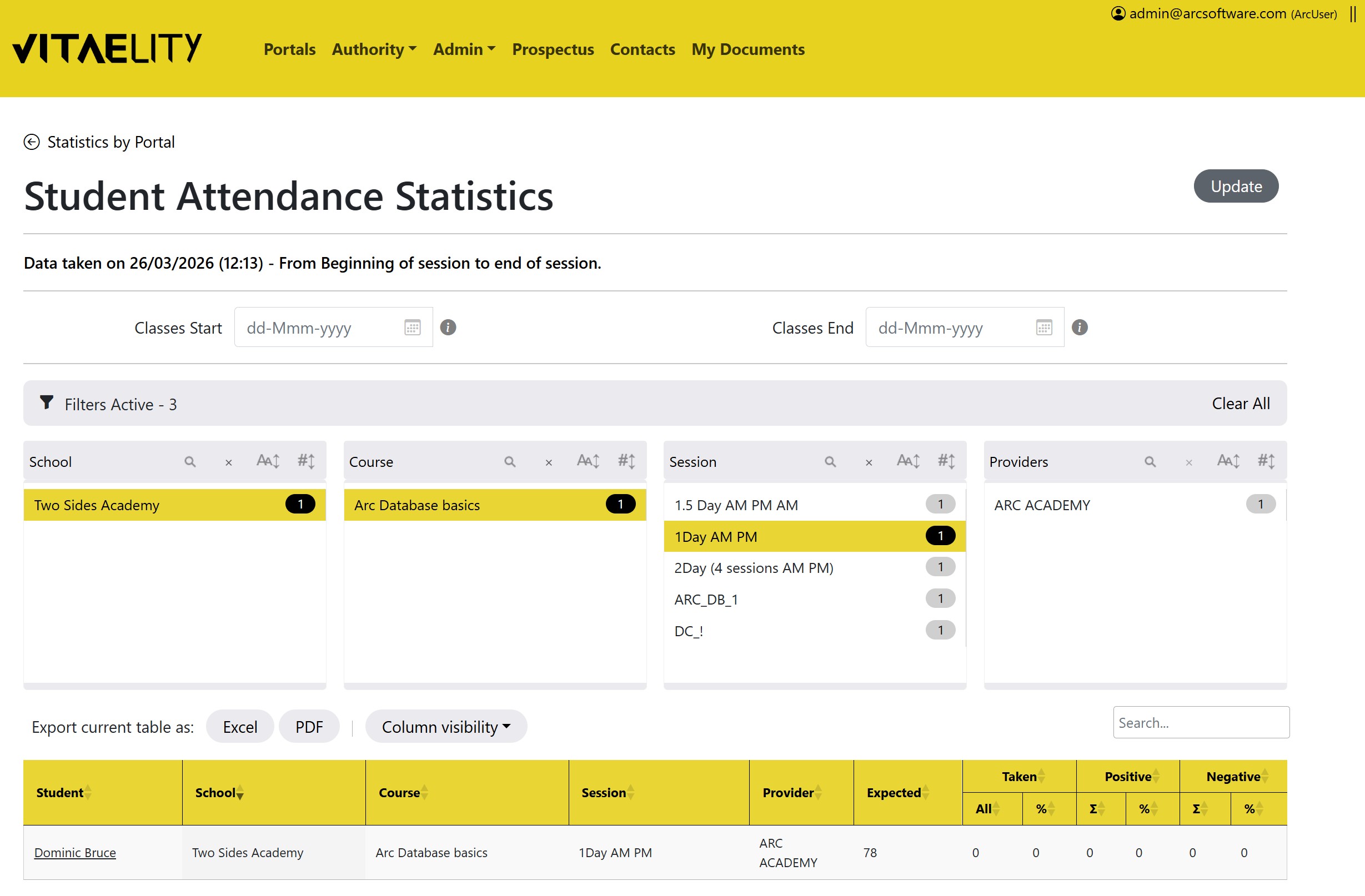
Vitaelity Attendance Reporting Suite - Student Specific Data
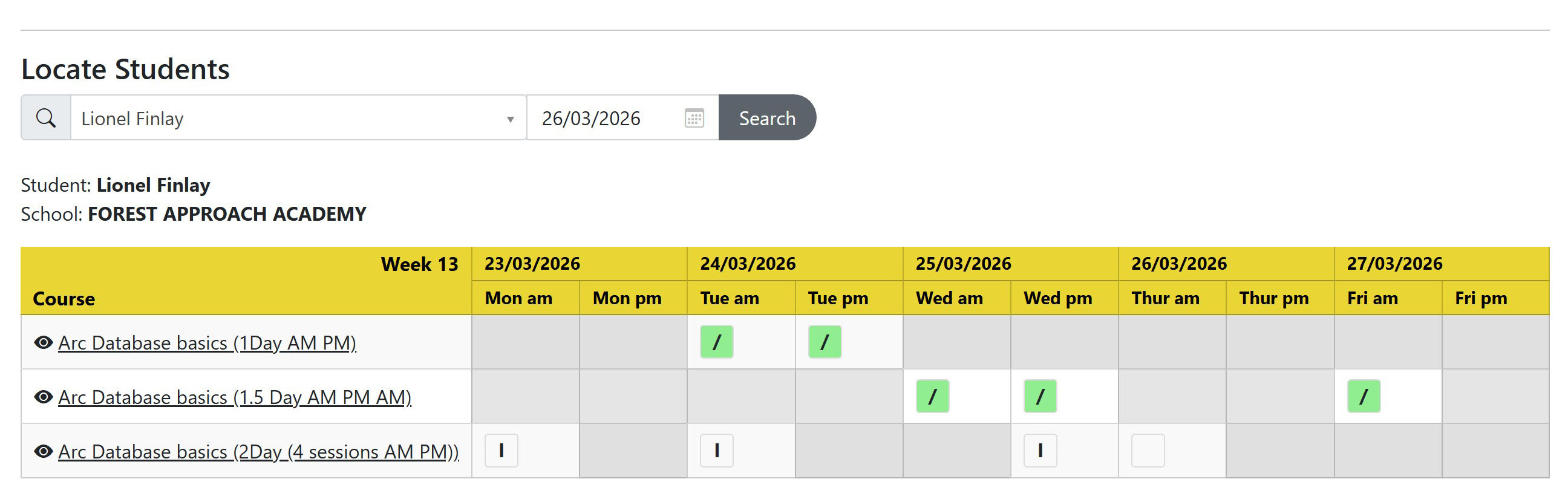
Vitaelity Dashboard's Locate Student Feature
In short, Vitaelity doesn't require you to jump from provider to provider to find the data for a student's entire time in alternative provision. The student-centred system gives it all to you in once place, which in turn means you can see attendance data and export it off the system, plus you can confirm if a provider has met what they have been commissioned to do. And if the student has a very long history in AP, then you can use the one-click filters to zoom in on the data.
And like all Vitaelity management reports, you can export to Excel and PDF.
No need to calculate attendance data yourself either. The system does that using standard DFES register codes, and it customises what is calculated per student so if they leave a course early or only attend a short intervention then their attendance data is not distorted by gaps in the registers i.e. the system takes into account their specific attendance dates even if a course runs on after they left or if they were booked on only part-time and were not expected to attend every session.
Find a Student in an Instant
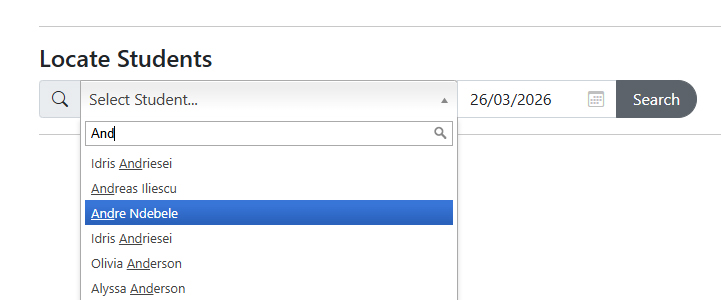
Locate Student feature with quick type-ahead search
Vitaelity lets a professional jump straight to all the data for a student with a quick type-ahead box. No more wading through registers or looking up home schools if you receive a query to try and track down either where a student is right now, or to find their past attendance data for provision long since over.
Visible Surfacing of Incidents Needing Attention
Perhaps you've noticed the same course popping up in the alerts and you want to see the entire history for that provision rather just a single student, well Vitaelity gives you a complete audit trail on one screen.
The status of each alert, the date it was opened, and a quick link to edit it is available on the dashboard.
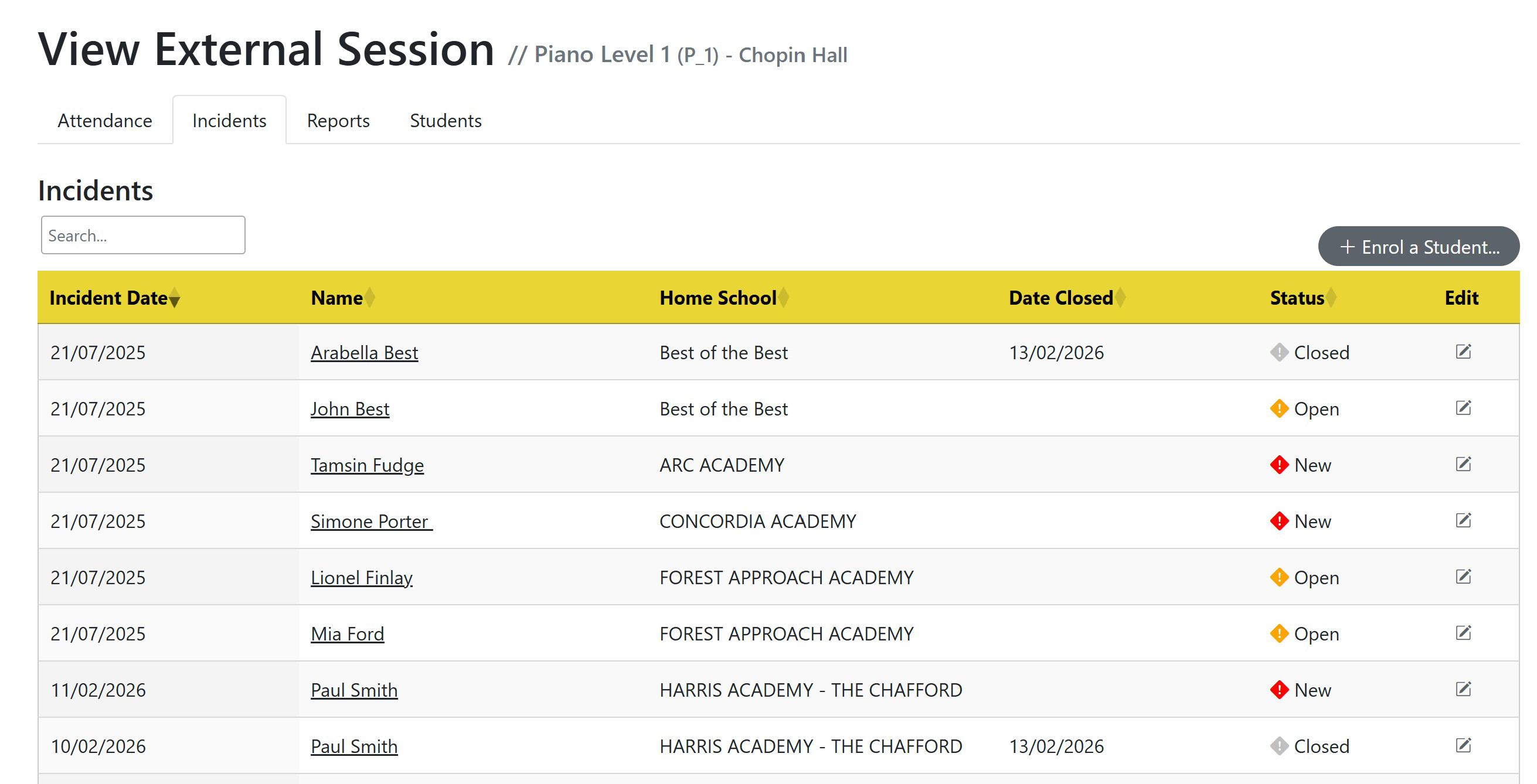
Vitaelity Session Page showing Incidents tab with at-a-glance status icons
Offsite Register Management
If you have dozens of providers and hundreds of courses running across your area, then you have a large amount of attendance data that needs calculating. Vitaelity does that automatically using DFES standards, meaning that from one page you can see all the numbers for every provider and you can export that off the system to Excel and PDFs.
This means you have one page to see the performance of all your providers, meaning you can quickly identify those not keeping up with their safeguarding obligation to take attendance. If you want to jump to a specific provider or a course, then in one click you can do that. Want to go back to past data quickly, then you can do that too.
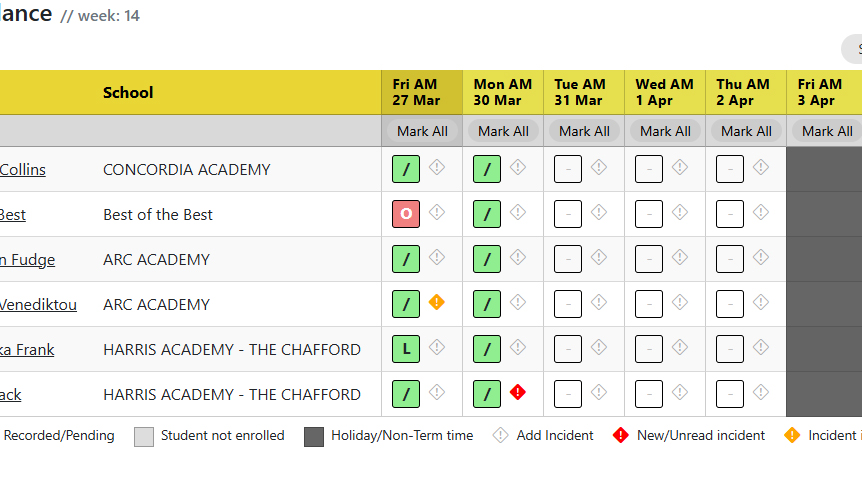
A Vitaelity Session's Register page with at-a-glance Attendance and Incident records
Document Uploads
The Vitaelity portal includes a dedicated Documents Area, designed to make sharing professional reports and student‑related documentation faster, safer, and significantly more efficient. The new module removes the need for shared folders, manual uploads, and hunting for the correct files. Instead, all documents are stored in one secure, structured location, ensuring streamlined communication between professionals and reducing administrative time.
With improved data protection, clearer audit trails, and instant access to the right information, the Documents Area supports better collaboration, enhances compliance, and helps teams focus on delivering high‑quality support rather than managing files.
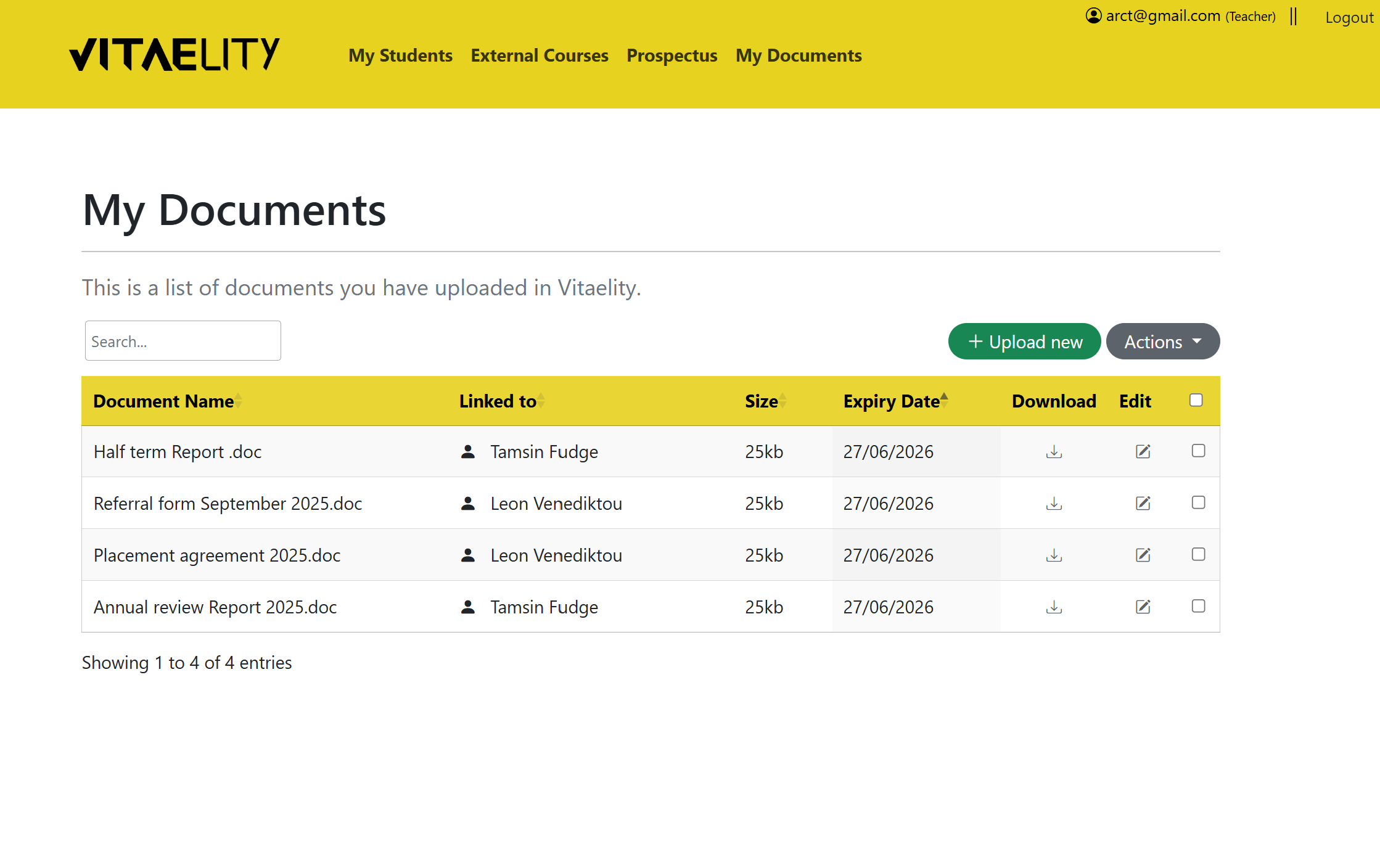
A Vitaelity users' 'My Documents' page
Management Reporting and Data export
In one click you can see all your attendance data in a management report, the statistics automatically calculated against the DFES register codes by institution or by course saving you time. One-click filters enable fast sorting so you can remove noise that you do not need whilst icons show you just how many datapoints will appear if you use a filter so there's no need to suffer the frustration of trial and error in trying to narrow down the dataset you need. You can even hide columns or use a type-ahead search to jump into a datapoint.
Plus you can export the data you've selected out to excel or PDF.
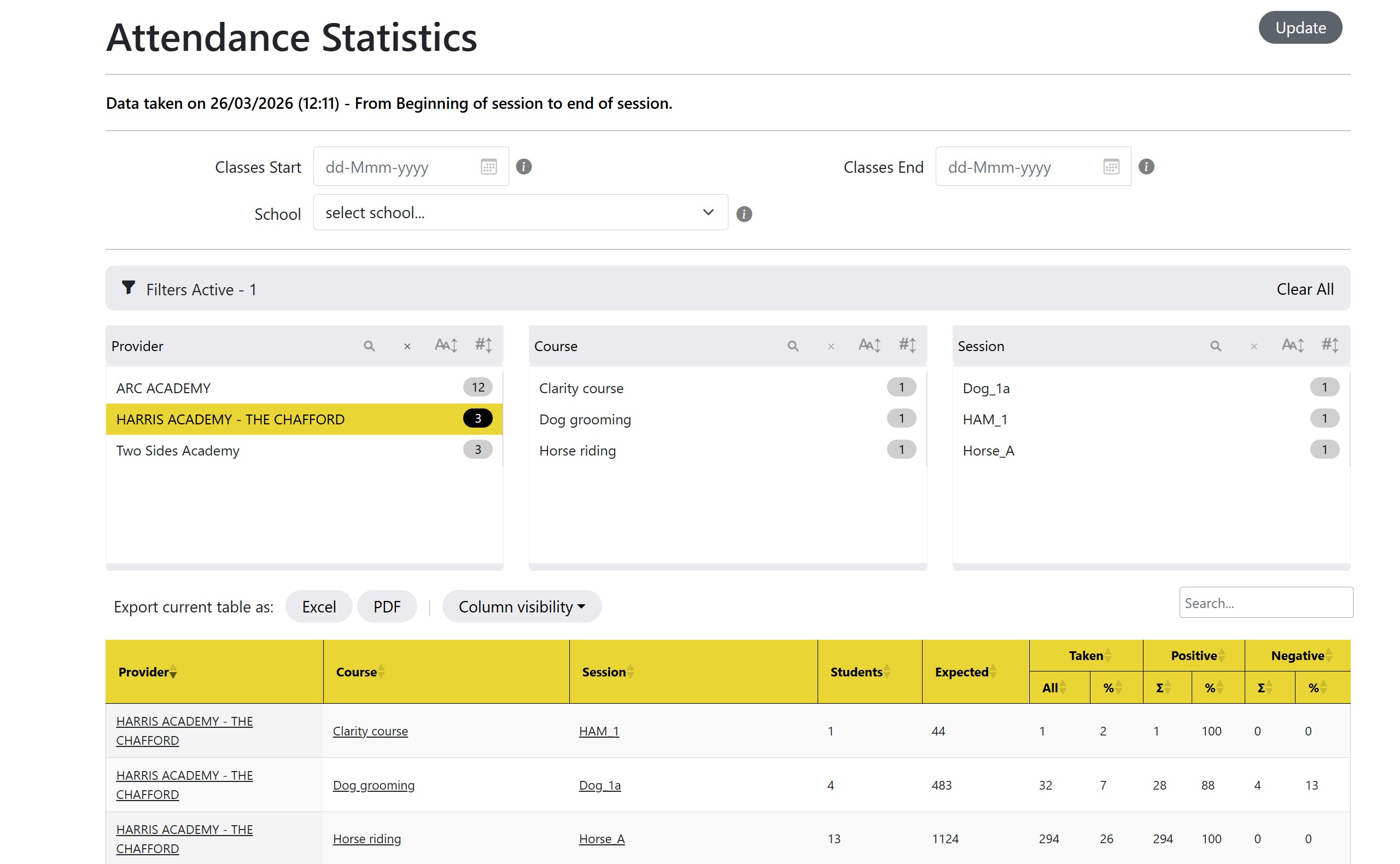
Vitaelity Attendance Reporting Suite - Session Attendance Specific Data
Prospectus and Enrolments Made Easy
Vitaelity removes the confusion that can occur from having a large portfolio of different providers and provision by providing a single prospectus showing everybody in your area a single view of what is available and when. In one glance, a professional can see which days and which sessions a course runs on, and within one click then can enrol a student on a course or view more information about the provision. If you already know a provision of interest, then a quick search function lets you jump straight to it cutting out the need to click and scroll your way through hundreds of options.
The prospectus also saves huge amounts of time for professionals as the date ranges on courses uploaded by providers feed into the management of registers so that archiving of old courses happens automatically making everything constantly current and tidy. That it turns allows automatic calculations of register statistic such as attendance metrics for both individual students, the course, and the provider so that 'the machine' is doing the work for you.
Plus, providers can update their own provision negating the need for the local authority to enter the data.
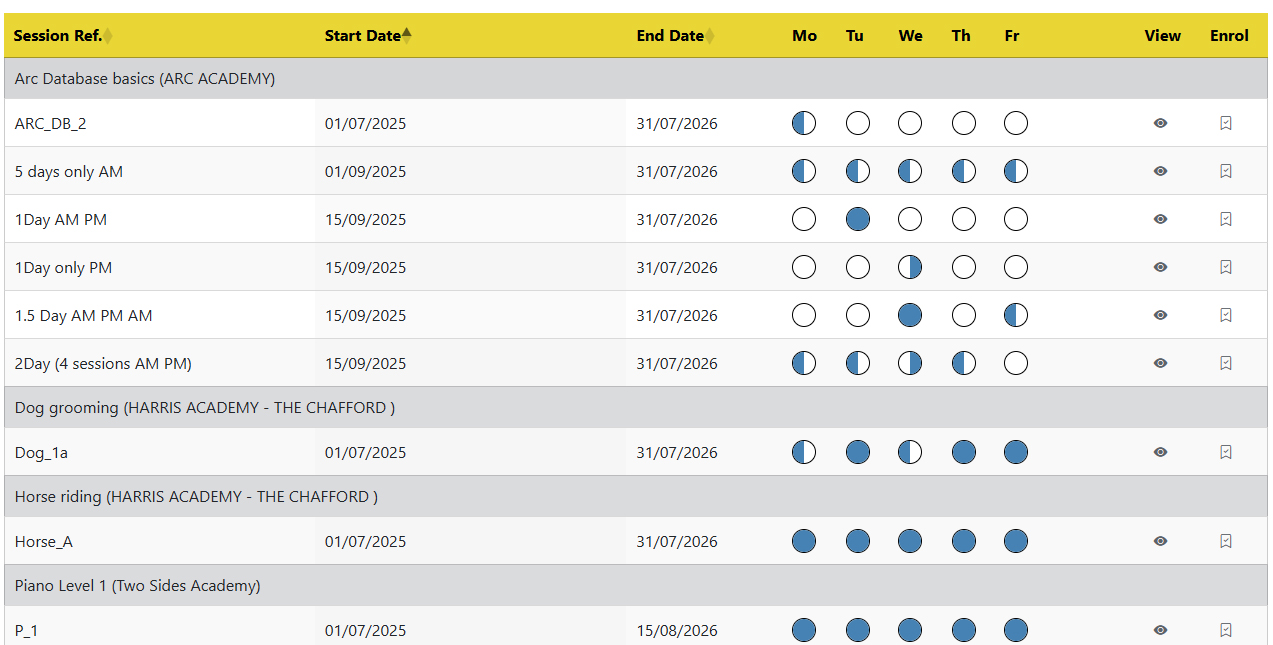
Vitaelity's Prospectus area showing Provisions with easy visiblity of periods offering sessions